Ingestion overview
For high-throughput data ingestion, use our first-party clients with the InfluxDB Line Protocol (ILP). This is the recommended method for production workloads.
First-party clients
Our first-party clients are the fastest way to insert data. They excel with high-volume, high-cardinality data streaming and are the recommended choice for production deployments.
To start quickly, select your language:



Python
Python is a programming language that lets you work quickly and integrate systems more effectively.


Our clients utitilize the InfluxDB Line Protocol (ILP) which is an insert-only
protocol that bypasses SQL INSERT statements, thus achieving significantly
higher throughput. It also provides some key benefits:
- Automatic table creation: No need to define your schema upfront.
- Concurrent schema changes: Seamlessly handle multiple data streams with on-the-fly schema modifications
- Optimized batching: Use strong defaults or curate the size of your batches
- Health checks and feedback: Ensure your system's integrity with built-in health monitoring
- Automatic write retries: Reuse connections and retry after interruptions
An example of "data-in" - via the line - appears as:
trades,symbol=ETH-USD,side=sell price=2615.54,amount=0.00044 1646762637609765000\n
trades,symbol=BTC-USD,side=sell price=39269.98,amount=0.001 1646762637710419000\n
trades,symbol=ETH-USD,side=buy price=2615.4,amount=0.002 1646762637764098000\n
Once inside of QuestDB, it's yours to manipulate and query via extended SQL. Please note that table and column names must follow the QuestDB naming rules.
Message brokers and queues
If you already have Kafka, Flink, or another streaming platform in your stack, QuestDB integrates seamlessly.
See our integration guides:
CSV import
For bulk imports or one-time data loads, use the Import CSV tab in the Web Console:
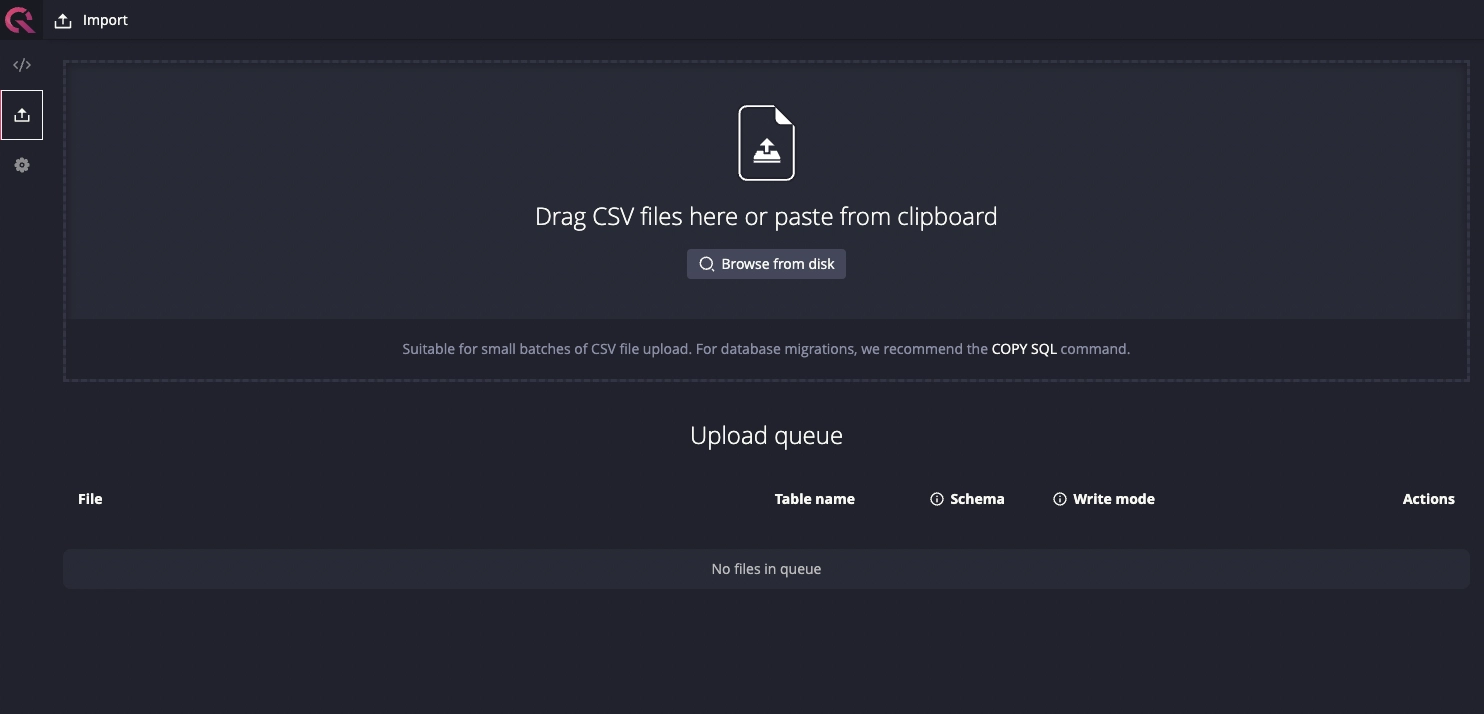
For all CSV import methods, including using the APIs directly, see the CSV Import Guide.
Create new data
No data yet? Just starting? No worries. We've got you covered.
There are several quick scaffolding options:
- QuestDB demo instance: Hosted, fully loaded and ready to go. Quickly explore the Web Console and SQL syntax.
- Create my first data set guide: Create
tables, use
rnd_functions and make your own data. - Sample dataset repos: IoT, e-commerce, finance or git logs? Check them out!
- Quick start repos: Code-based quick starts that cover ingestion, querying and data visualization using common programming languages and use cases. Also, a cat in a tracksuit.
- Time series streaming analytics template: A handy template for near real-time analytics using open source technologies.
Next step - queries
Depending on your infrastructure, it should now be apparent which ingestion method is worth pursuing.
Of course, ingestion (data-in) is only half the battle.
Your next best step? Learn how to query and explore data-out from the Query & SQL Overview.
It might also be a solid bet to review timestamp basics.